Start with what the image needs to do
Do you need a birthday invitation, a product background, a blog illustration or a shop-window poster? Say who will see it, where it will appear and what the viewer should understand. ‘Make something professional’ leaves those decisions to the model.
In ChatGPT, ask to create an image in a chat with image generation available. For an edit, attach the image and explain its role. Availability depends on your plan and workspace; an assistant describing an image is not the same as producing one. You do not need to choose an API model to try an ordinary image prompt.
Example: make a bicycle-workshop poster illustration
We generated the image below for a fictional neighbourhood repair workshop. The brief specifies an everyday bicycle, a paper-collage treatment, a limited palette and room for a headline. This is the actual first output, not a borrowed campaign image.
The upper part is relatively quiet and the requested colours are visible. That does not make it a finished poster: bicycle parts and the mechanic's hands still need inspection. The offer, logo and booking URL would be added and checked separately.
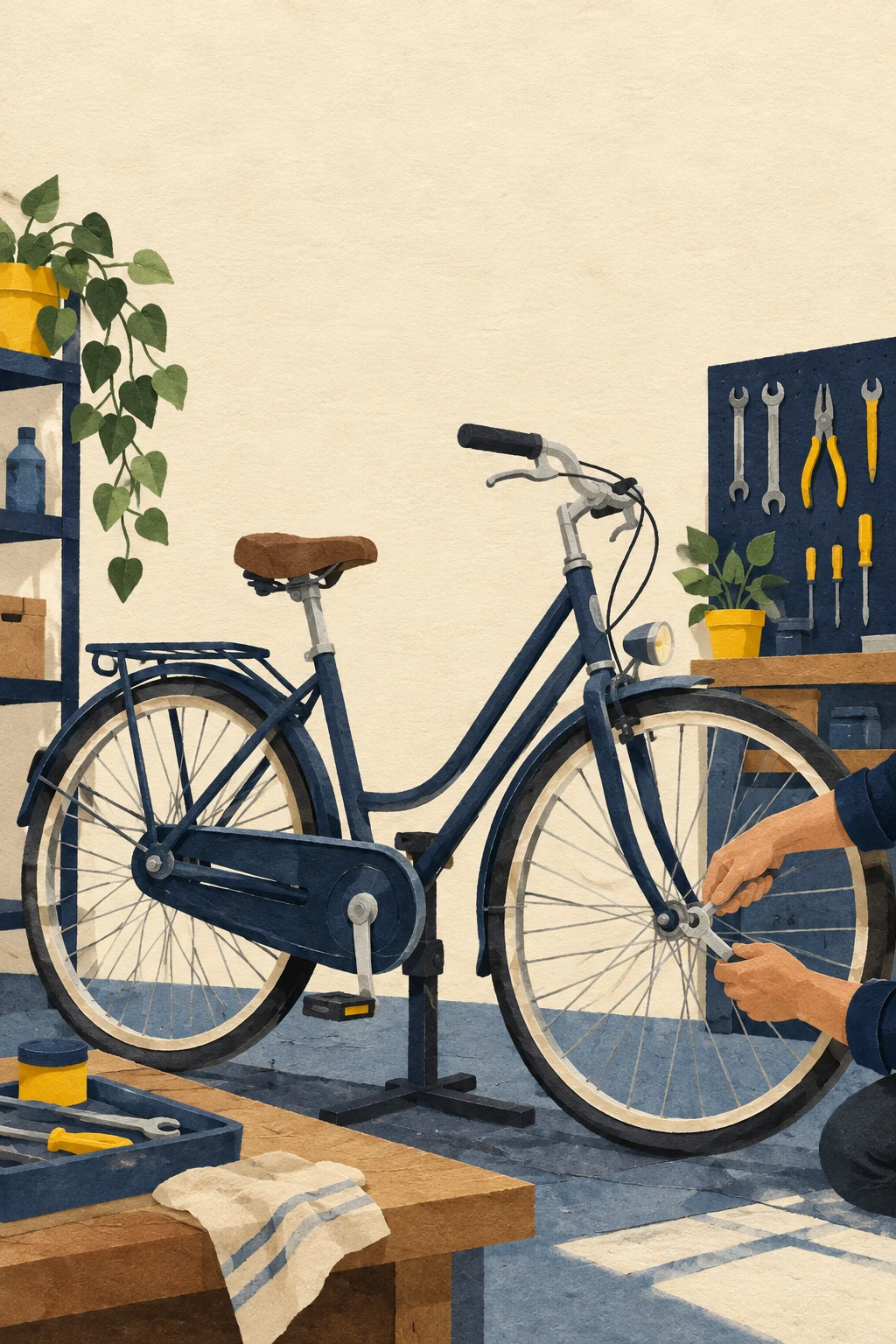
Create a portrait illustration to use as the main image for a neighbourhood bicycle-repair workshop poster aimed at everyday commuters. Show one ordinary upright city bicycle in a small welcoming repair workshop, with a mechanic's hands adjusting a wheel, no face visible. Hand-cut paper collage with visible paper texture, warm cream background, deep navy shapes and small yellow accents. Simple believable bicycle geometry, clear silhouette. Keep the upper third calm and mostly empty for a headline to be typeset later. Avoid racing bikes, generic glossy 3D, slogans, lettering, logos, prices and watermarks. This is a fictional illustrative campaign, not a real workshop photograph.
Make one change, then compare with the original
Our next instruction changed the navy shapes to forest green while asking to retain the composition and yellow accents. Compare the result with the first image rather than assuming ‘keep everything else’ was followed perfectly.
The main palette changed, but some shading and small line details also differ. That is why an iteration needs a review. If a detail must be exact, keep its original asset or finish the change in a conventional editor.
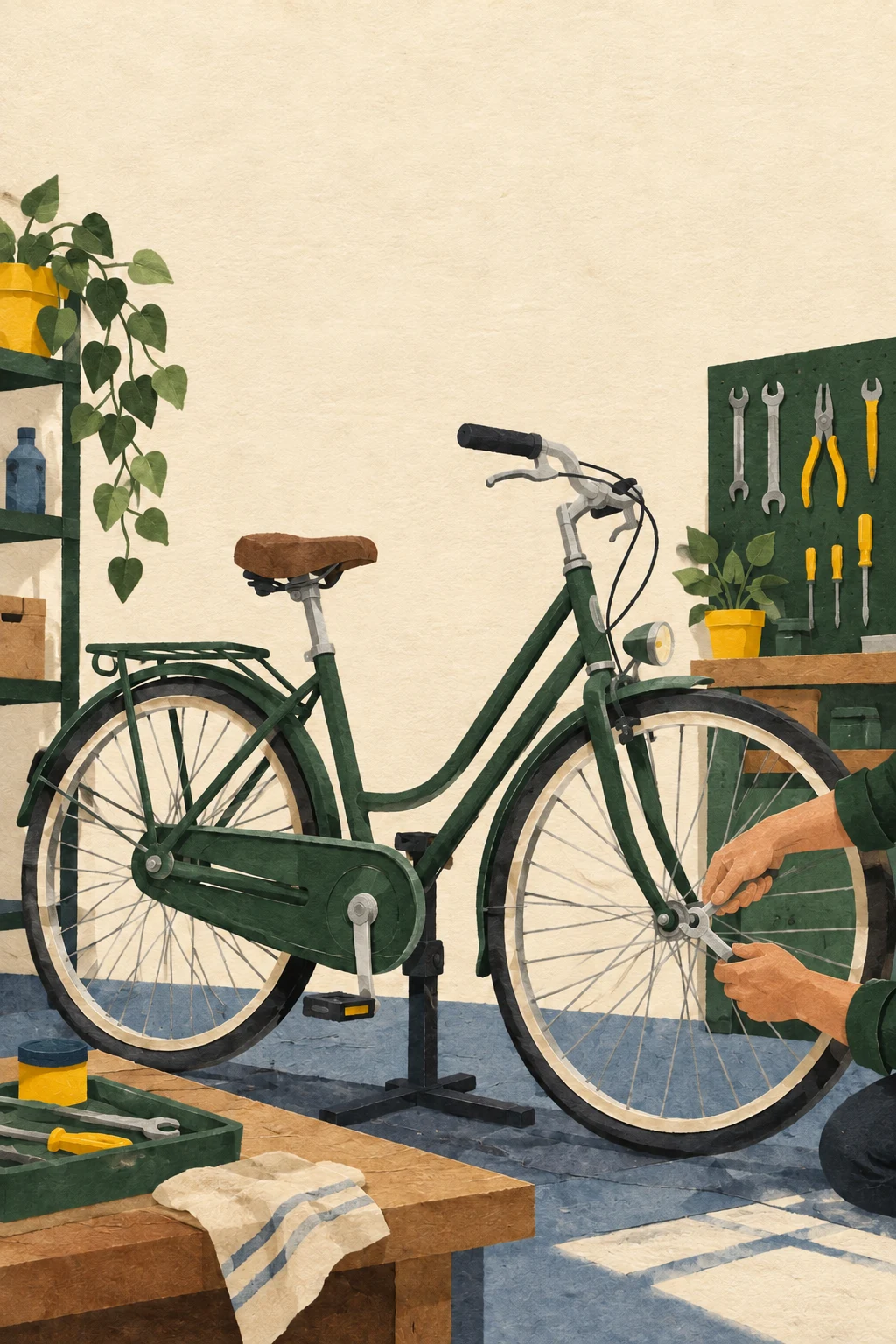
Edit this illustration. Change only the deep navy paper shapes to a muted forest green. Keep the bicycle, mechanic's hands, composition, cream paper background, yellow accents, textures, object positions, portrait framing and empty upper third unchanged. Add no text, logo or extra objects.
Use your house style without asking AI to guess it
Supply approved colours and explain their roles: background, main subject and accent. Add a reference you are allowed to use and say whether it controls style, composition or factual product details. A logo alone does not specify your entire house style.
Ask for visual properties such as cut-paper texture, soft daylight or simple line drawing instead of ‘not generic’. Keep important logos, legal wording and exact product labels as original assets. Check them in the final layout, not only the generated preview.
Image 1 is the subject to keep; image 2 shows our approved visual style. Make a [format] illustration for [audience and purpose]. Use [background colour], [main colour] and [accent role]. Preserve [subject details]. Reserve [area] for the original logo and verified copy I will add later. Do not import products or claims from the style reference.
Ask for text carefully and proofread every character
You can request short exact wording in quotation marks and describe its position. Still check every character, number, date and URL. OpenAI's API documentation notes limitations in precise text placement, recurring visual consistency and composition; those are useful review cautions, not a claim that every ChatGPT app exposes the same API controls.
For a real advertisement, keeping the generated image separate from editable typography often makes corrections easier. A portrait image is not automatically an A3 print file: inspect pixel dimensions and follow your printer's requirements.
For this approved illustration, propose an editable layout with the exact headline [text], verified offer [text] and action [text]. Keep the original logo separate. Explain what needs manual typesetting and a print proof; do not invent price, dimensions or printer requirements.
Check the image before you publish or sell with it
Inspect hands, reflections, object geometry, product accuracy and any unexpected text. Compare the image with the brief and the source references. Use authorised material and consider the people whose likenesses appear. These examples are made for this site; that is not a blanket rights clearance for every image or reference a reader might use.
- Did the image answer the actual brief, or merely look attractive?
- Did a follow-up change something you wanted to keep?
- Are logos, wording, URLs and product details accurate?
- Have you checked the final export at its intended display or print size?
Common questions
Can I use an image I create in my own website?
You can build generated images into a website as we have done here, but review applicable service terms, source-image permissions, likenesses and the intended use. We do not give a blanket legal clearance.
Will the same prompt make the same image?
Do not expect an identical result. Keep the actual output and repeat the details that must remain fixed when asking for an edit.
Keep exploring
Sources and how this guide was prepared
Sources checked 10 October 2026. The displayed illustrations were generated and edited for this site with OpenAI's built-in image tool. These are actual editorial examples, not screenshots of the ChatGPT consumer interface or a model comparison. Exact prompts are supplied; your app, tools and results may differ. We visually reviewed the outputs but do not claim pixel-perfect preservation or production certification.