Choose the result before uploading your room photo
A photo of a bookcase needs a plan, not necessarily a new image. A room makeover needs an image-editing tool if you want a visual preview. Start by saying which result you need: a shelf system, a furniture concept or a colour comparison.
Use these briefs with ChatGPT, Claude or Gemini when your account supports image input. For a preview, check that the selected tool can actually edit images. Otherwise ask for an editing brief. Crop out family photos, addresses, screens and private paperwork first.
- Add your goal: easier retrieval, hidden storage or a calmer bedroom.
- State what must stay and what you are willing to change.
- Supply measurements yourself; perspective is not a measuring tool.
- Review one change at a time against the original.
Organise books around how you look for them
A rainbow arrangement may be frustrating when you need all your gardening books together. Tell the assistant who uses the shelves, which books you reach for and whether topic, author or appearance matters most. These synthetic spines are deliberately unreadable: ask for an inventory, not invented titles.
Try one shelf first. Possible zones include frequently used reference books, a return spot for books in progress and less-used books grouped by your confirmed topics. These are options, not a catalogue inferred from the image.
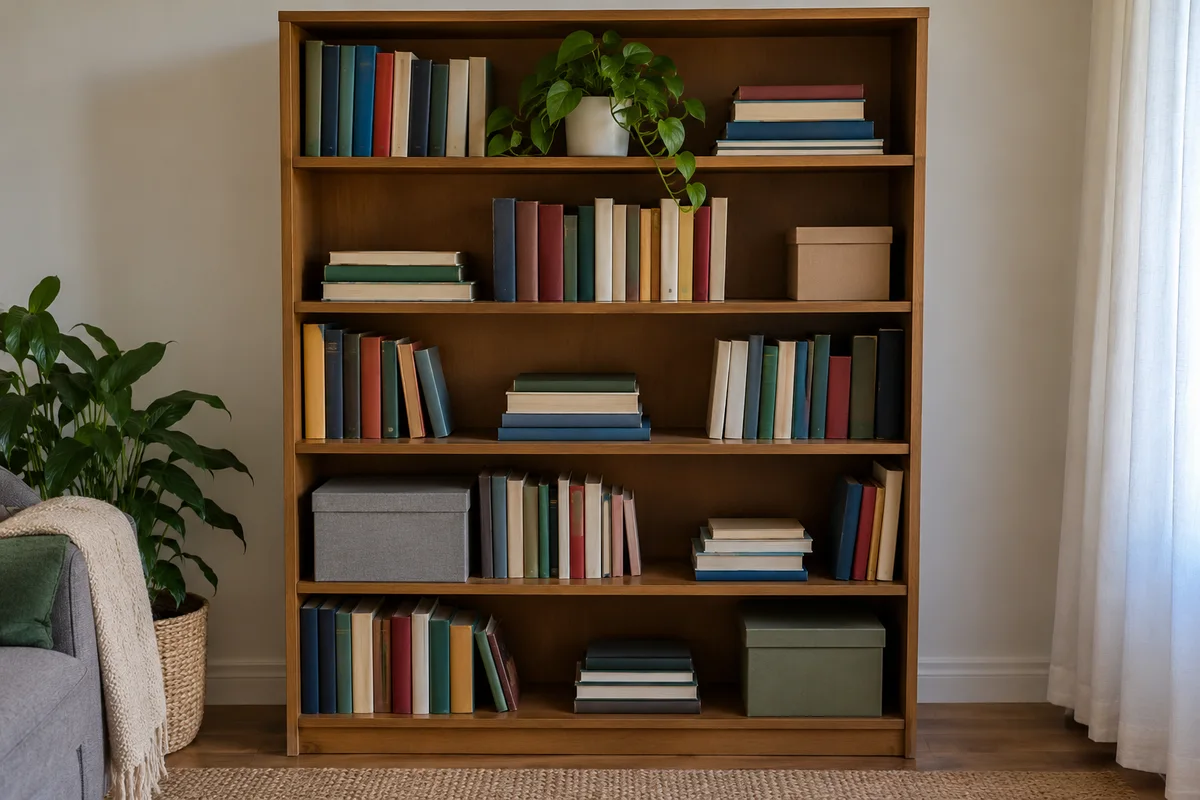
Use my bookcase photo to help me find books more easily. First describe visible shelves and objects; mark unreadable book titles as unknown. Ask who uses the books, which topics I own, which I reach for most, what must stay and whether I prefer topic, author or colour order. I will provide a list or clearer spine photos if needed. Compare two systems for my actual habits, not just a stylish display. After I choose, give shelf-by-shelf zones using my confirmed inventory, a place for books in progress and a 20-minute first-shelf plan. Do not invent titles or tell me to discard books without asking. Do not infer load capacity, recommend climbing or moving a loaded bookcase, or assess anchoring from a photo. Flag anything needing an in-person safety check.
Test the shelf plan by finding three books
After rearranging one shelf, ask someone who uses it to find three books. Report what failed: ‘We keep returning shared reference books to different shelves. Give us one home for those books and a simple return rule.’ Judge the system by that experience, not just appearance.
Check shelf capacity and furniture stability separately. A photo cannot prove a bookcase is safely loaded or anchored.
Preview a cabinet without redesigning the whole living room
This is the synthetic before image. Instead of ‘make it nicer’, say what the cabinet must hold, what style you like and where it should go. Supply the available space, door movement and candidate dimensions before considering a purchase.
A product reference can guide the edit, but still check finish, handles and proportions. A plausible rendering is not an exact product photograph or proof that drawers will open.
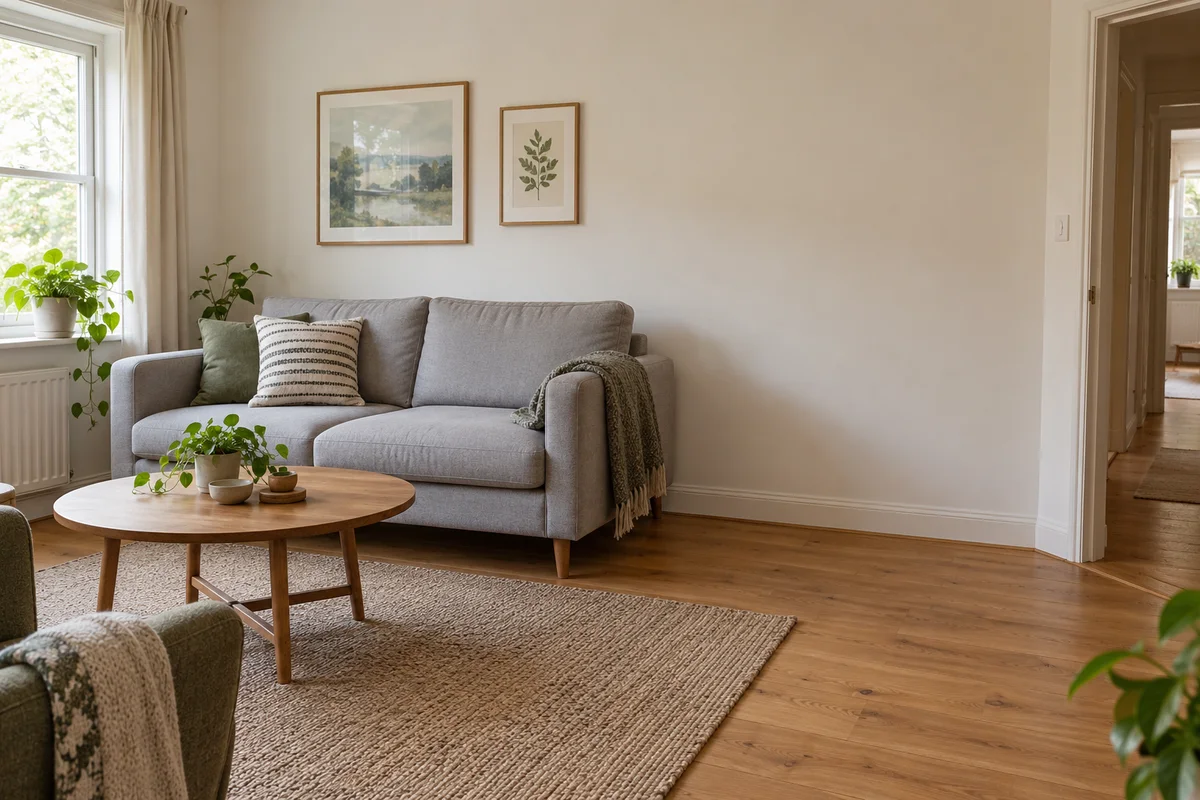
I want to preview a storage cabinet in this room. First ask what it must hold, my preferred style, budget, measured available width and depth, doorway clearances and the candidate cabinet dimensions. Do not estimate these from the photo. Before editing, tell me if your current tool can edit an image; if not, write a brief for an image editor instead of claiming you made one. With an image-editing tool, add only [cabinet description or supplied product reference] at [location]. Preserve the sofa, other furniture, walls, doorway, window, lighting and camera angle. Keep the passage visibly clear. Do not add accessories. Label it a concept, not an exact product rendering or proof of fit. List what may have drifted and what I must measure and check in person before buying.
Notice what changed besides the cabinet
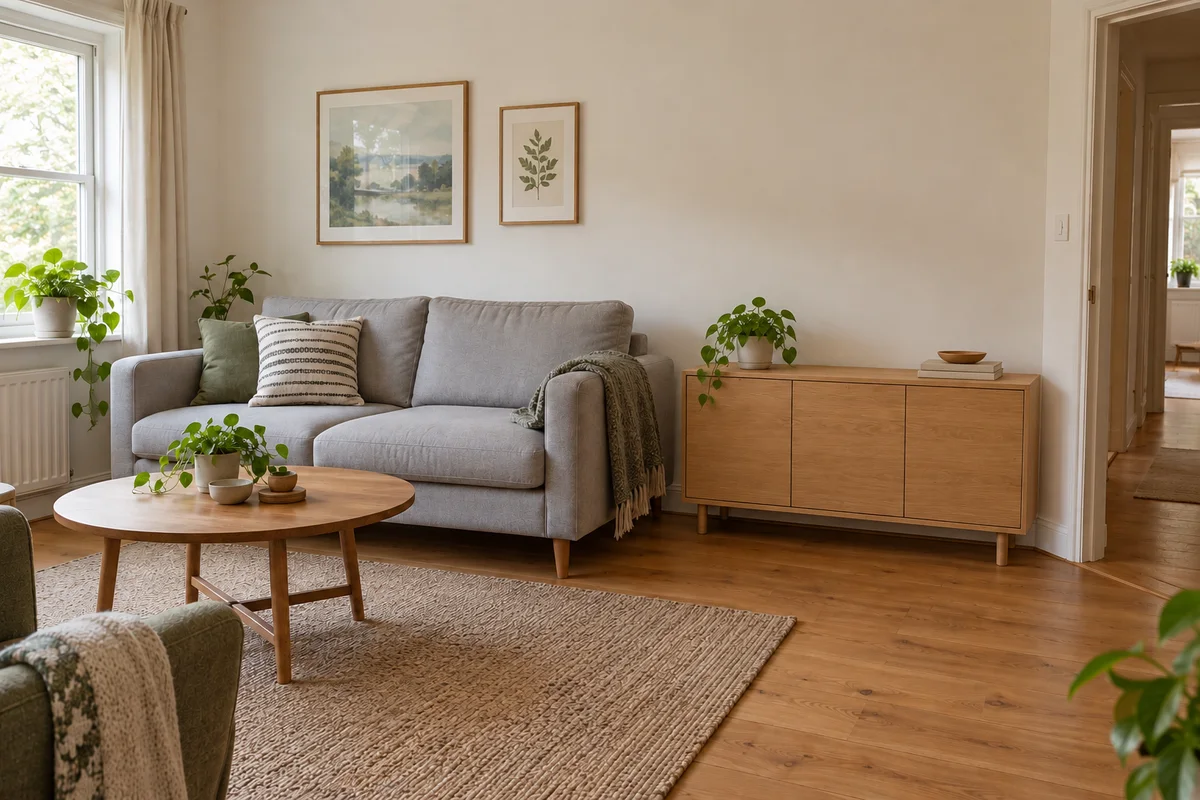
Below is the actual generated edit of the previous synthetic input. It gives a useful visual direction and leaves the doorway visible, but also adds styling objects on the cabinet. That is a limitation to notice, not evidence that every instruction was followed.
Try: ‘Remove the added styling objects. Restore any changed sofa or room details from the original. Keep only the cabinet addition.’ Before buying, measure the real room, cabinet, delivery route and door swing; do not derive dimensions from this concept.
Choose wall and duvet colours around your existing furniture
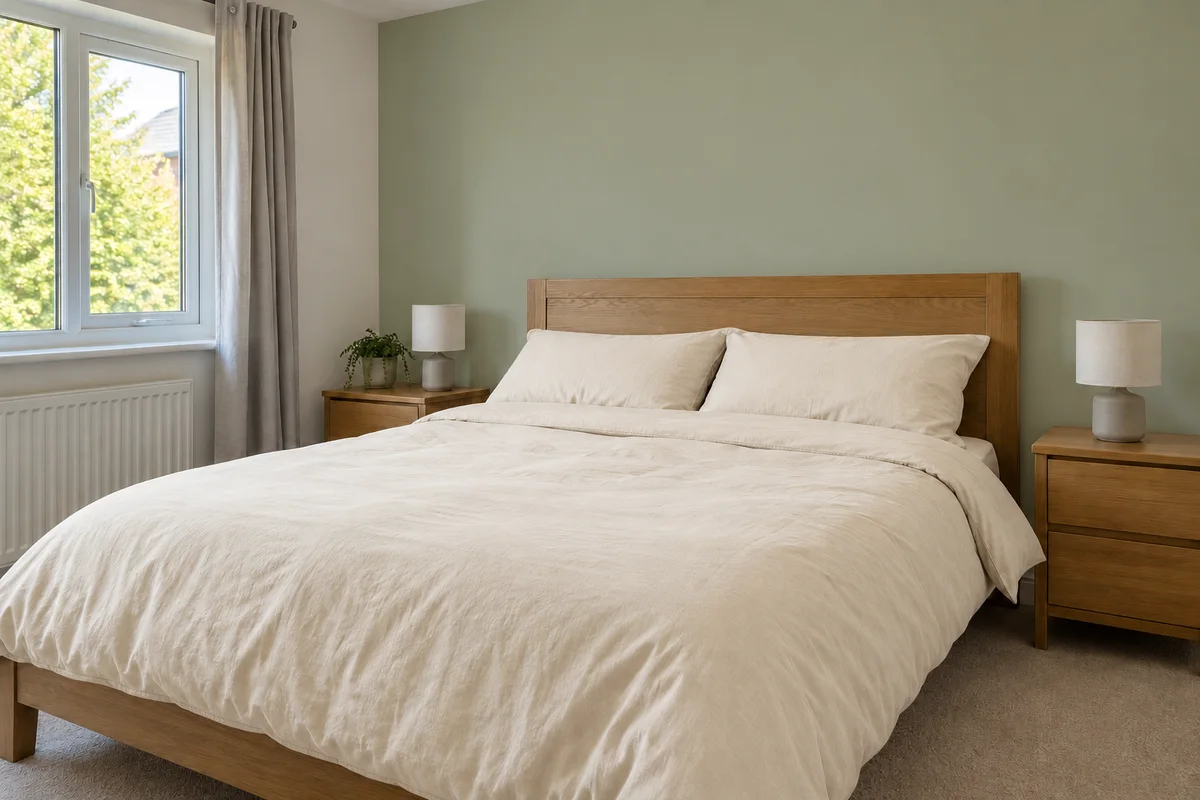
Explain what has to work together: oak furniture, grey curtains, daylight and your preferred mood. Ask for three pairings first, choose one, then request a preview. That separates the decision from generating an attractive but unrelated room.
The before image uses a white wall and grey bedding. The editing brief changes only the headboard wall, duvet cover and pillowcases.
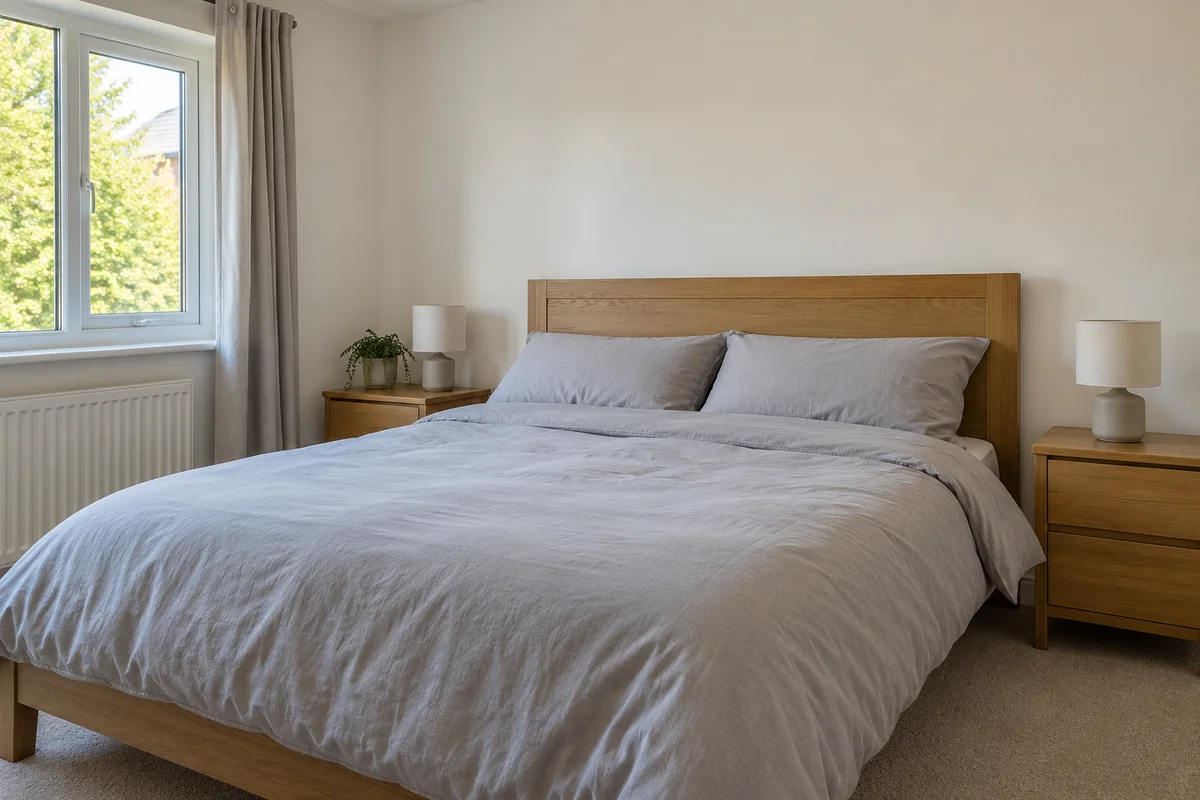
Use my bedroom photo to help choose a wall colour and duvet cover. Ask which furniture and curtains must stay, the mood I want, daylight direction and evening lighting, colours I dislike and budget. Suggest three specific wall-and-bedding pairings with reasons tied to the visible room; do not invent product availability or exact paint matches. Let me choose before making an image. If your current tool supports editing, change only [chosen wall] and the duvet cover and pillowcases to the selected colours. Preserve furniture, bed shape, window, curtains, floor, light and camera angle. Otherwise provide an editing brief. Label the preview a colour concept and ask me to compare real paint and fabric samples in daylight and evening light. Do not claim screen colours accurately predict a finished room.
Check the sage-and-cream concept with real samples
This actual generated edit shows sage-green behind the bed and cream bedding while broadly retaining the layout. It is a colour direction, not a named paint formula or measured colour match.
Compare one alternative with the same bedding and lighting, rather than a whole new room. Try physical paint and fabric samples in your room in daylight and evening light before committing; screen settings and generated lighting affect the impression.
Keep exploring
How to use this guide
Original synthetic teaching scenes and actual generated edits of two scenes. These are illustrative concepts, not reader homes, product-fit tests or verified paint matches.